SMS Opt-In Compliance
Verification for A2P 10DLC Registration (Offline/Handset Initiated)1. Visual Evidence of Compliant Signage
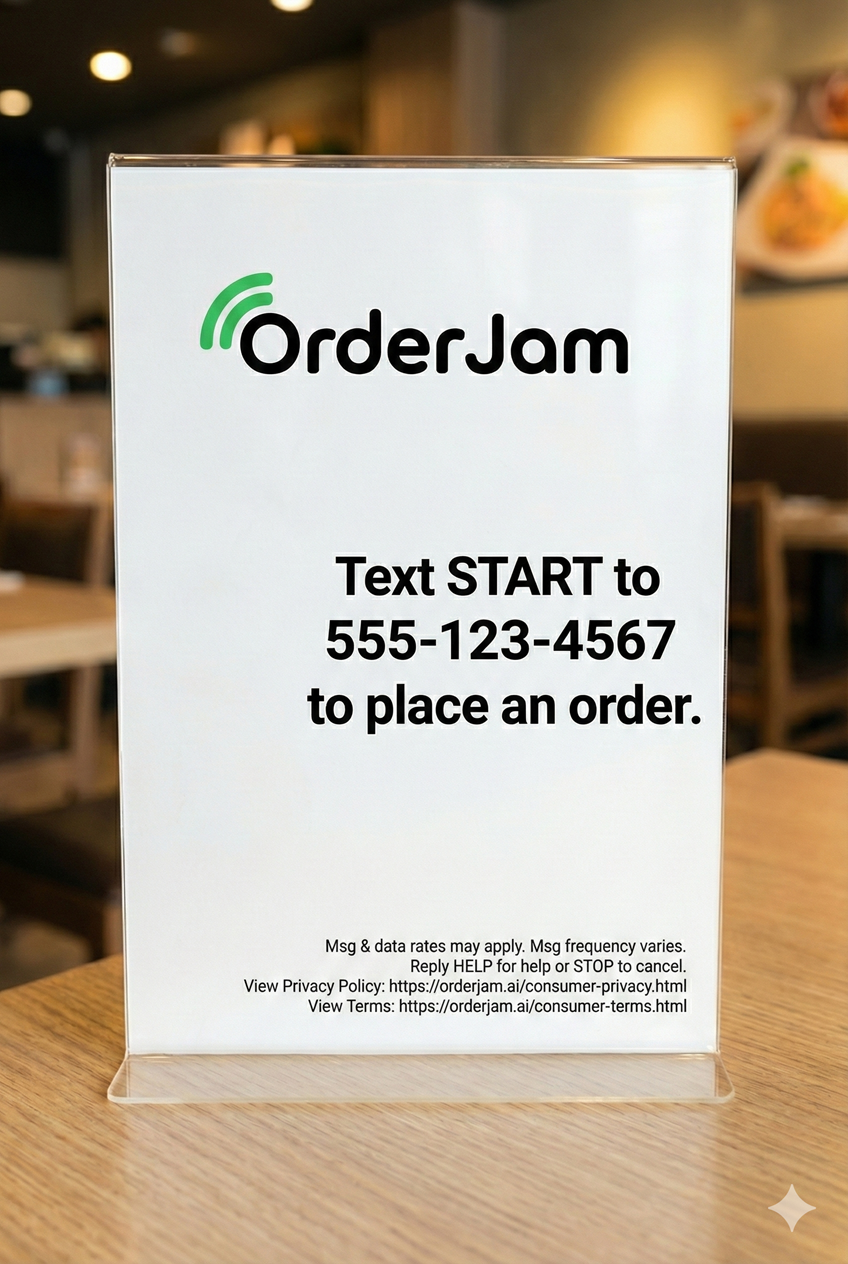
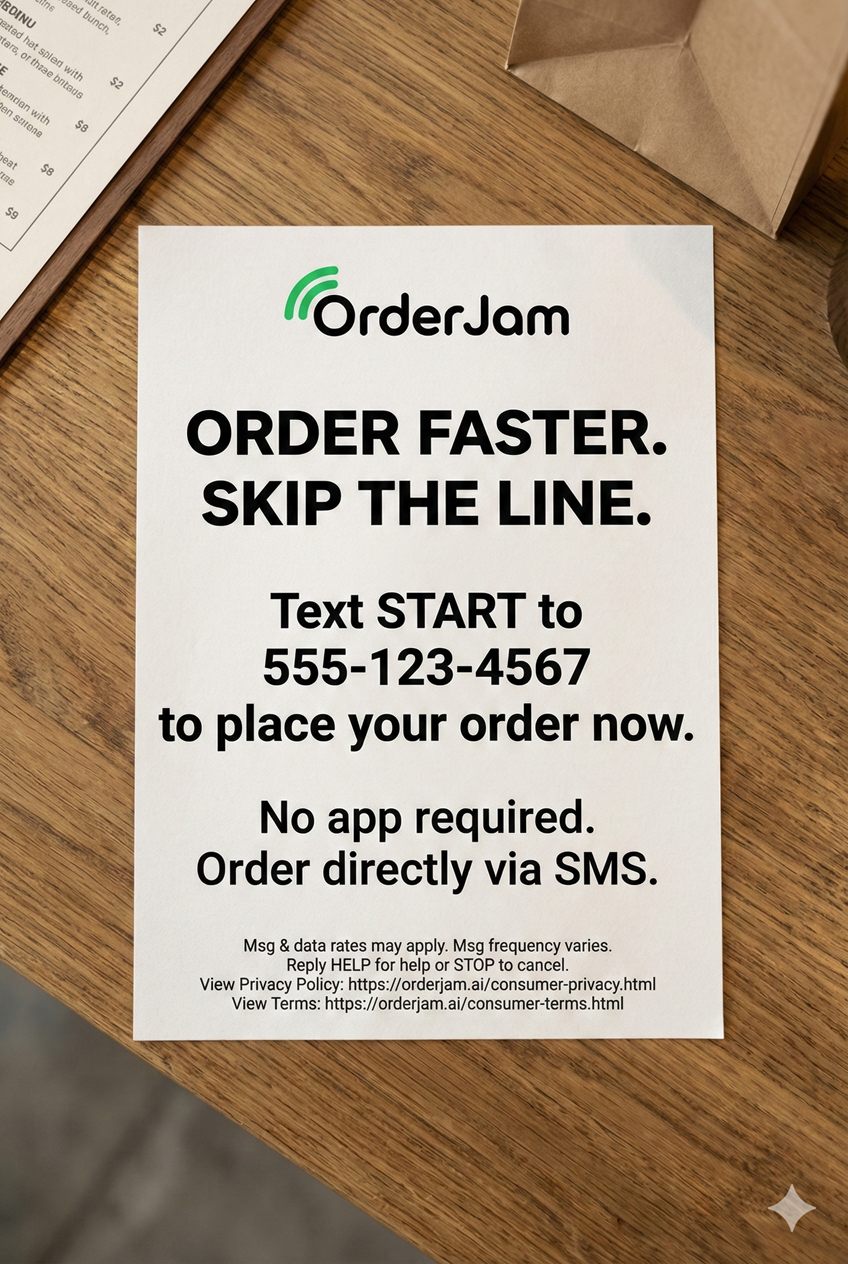
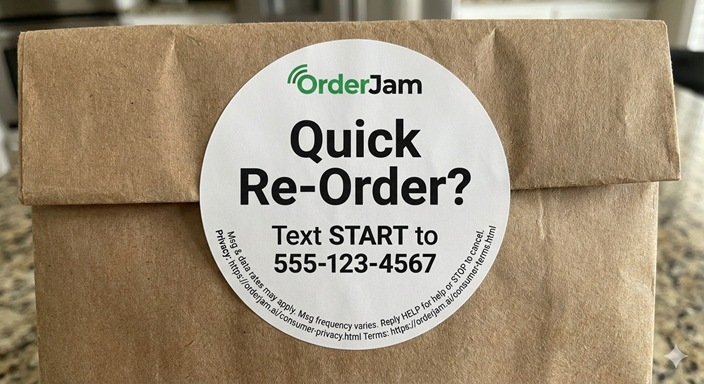
The following physical touchpoints are used within partner restaurants to display the CTA. Click any image below to view the full-resolution file.
2. Signage Compliance Disclosure
As clearly legible on the visuals above, every physical CTA includes the following required disclosures in close proximity to the phone number:
- Explicit Action: Clear call to action to text a specific keyword (e.g., "START").
- Fees: "Message and data rates may apply."
- Frequency: "Message frequency varies."
- Opt-Out: "Reply HELP for help or STOP to cancel."
- Legal Links: Direct URLs to our Privacy Policy and Terms of Service.
3. The Customer Opt-In Journey
The following steps outline the exact flow a customer experiences to enter the campaign:
- Customer Views Signage: A patron at the restaurant sees the Table Tent, Flyer, or Sticker (shown above) inviting them to order via SMS.
- Handset Initiation: The customer manually opens their messaging app and texts the keyword (e.g., "START") to the OrderJam phone number displayed on the sign. This action constitutes consent.
- System Confirmation: The platform immediately responds with a compliant welcome message: "OrderJam: Welcome! What would you like to order? Reply STOP to cancel. Msg&Data rates apply."
- Transactional Flow: The user proceeds to place their order via conversational SMS. They receive updates (confirmation, pickup status) strictly related to that active order.
4. Promotions & Marketing Messages
OrderJam does not send outbound SMS invitations or solicitations. SMS interactions are initiated by customers.
Restaurants may offer an optional first-time ordering promotion that is displayed and applied during checkout. This promotion is not delivered via outbound SMS.
Promotional SMS messages (such as discounts or offers) are sent only if the customer has explicitly opted in to receive them. Promotional messages are capped at a maximum of four (4) messages per month per restaurant.
Live Privacy Policy | Live Terms of Service
© 2025 Lexical Systems LLC dba OrderJam